
How To Replace Bump Cushion Assembly on Shocker Hitch
Shocker Hitch repair guide
Replace the bump cushion assembly using the correct procedure for an air receiver hitch or an Impact™ cushion hitch. The assembly order and final nut position differ.
Before you start
Identify your hitch model and match the replacement parts to it. Unhook the trailer and support the hitch securely before disassembly. For an air hitch, release all air pressure before removing the air bag, air line or hardware.
Use the instructions for your hitch type: the air hitch procedure leaves 2–3 bolt threads visible past the jamnut; the cushion hitch procedure leaves 1–2 threads past the rear nut. These are replacement assembly instructions, not a routine air-pressure adjustment.
Choose your system · 1 of 2
Air receiver hitch
Remove the original assembly
Start by loosening the jamnut from the top bolt using a 1-1/8” wrench on the bolt head and an impact wrench with a 1-1/16“ socket (or equivalent) on the jamnut. Once loosened, pull the bolt, bump cushions, and washer apart from the main hitch frame, set hardware aside for later installation.
Install the replacement cushions
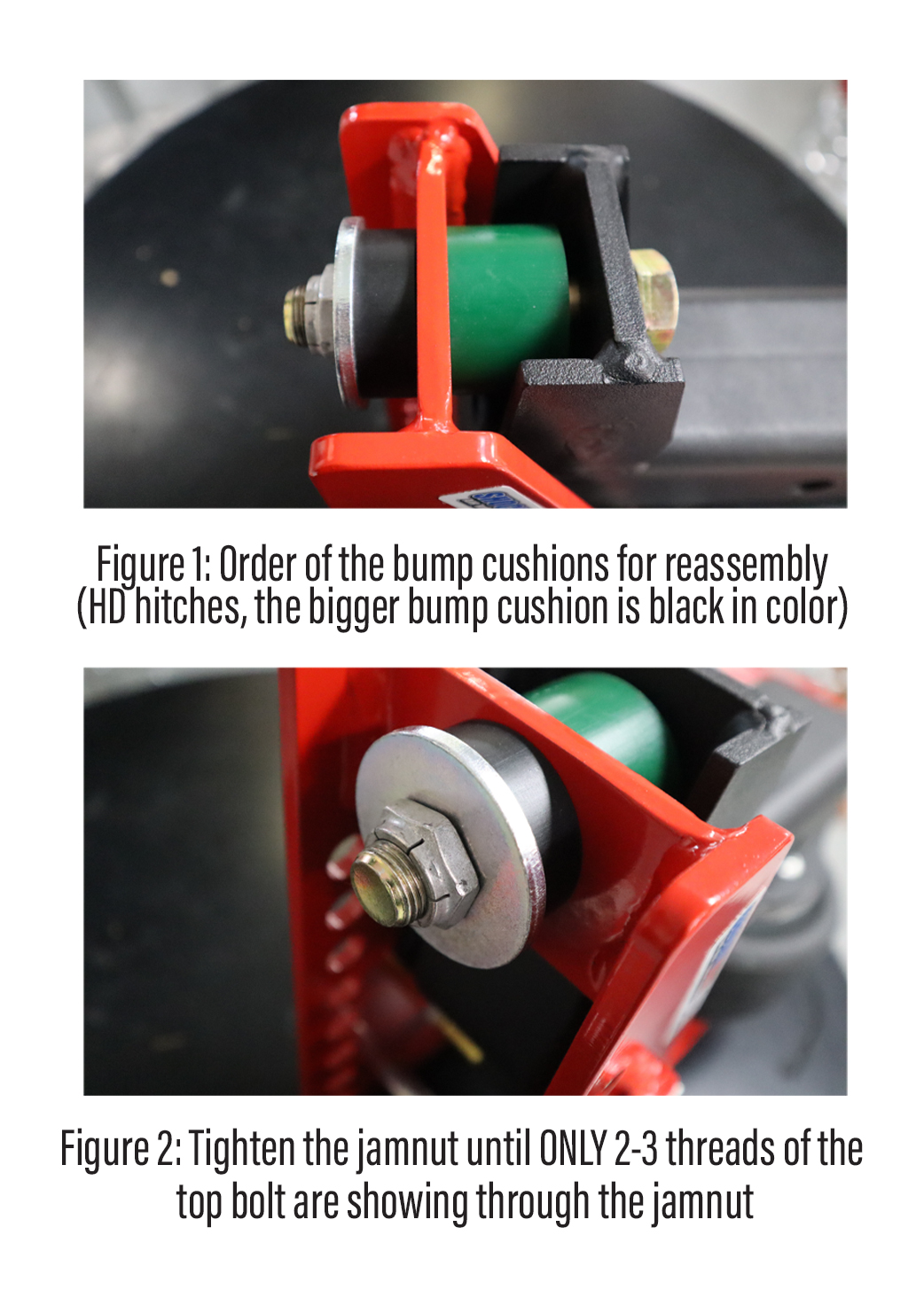
Assemble the bump cushion assembly by inserting the top bolt through the backside of the receiver shank and hitch frame, be sure to insert the bigger bump cushion between the receiver shank and main hitch frame, then slide the bolt through. Continue by sliding the smaller bump cushion over the bolt on the front side of the hitch frame, slide the washer over, add a small amount of thread lock to the jamnut, and finger thread the jamnut (see Figure 1 for reference).
Set the jamnut position
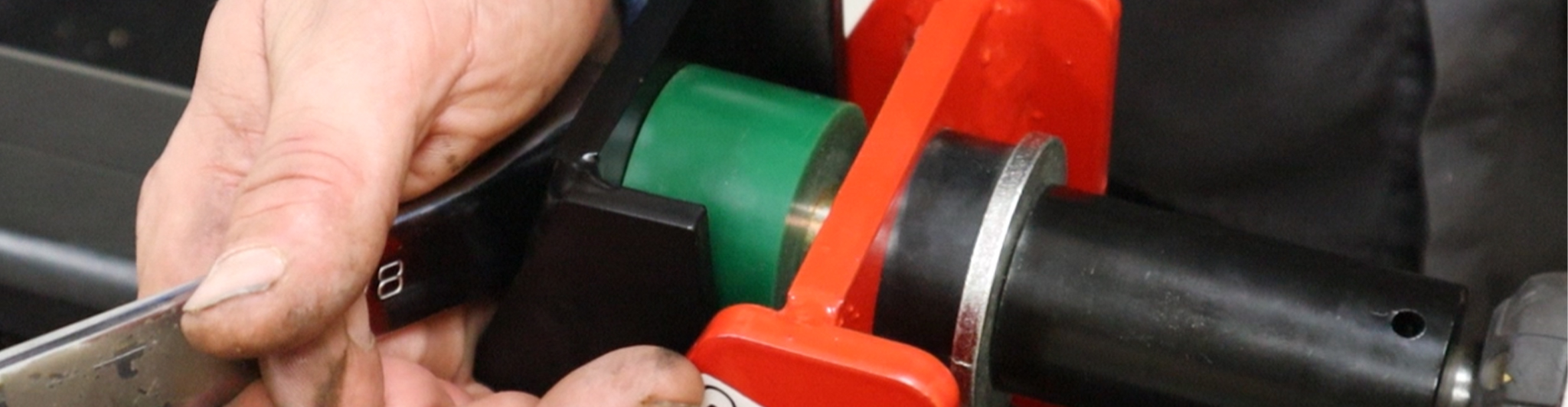
Finish by tightening the jamnut using a 1-1/8” wrench on the bolt head and an impact wrench with a 1-1/16“ socket (or equivalent) and tighten until there are 2-3 threads of the bolt showing the other side (see Figure 2). NOTE: The receiver shank frame should be perpendicular with the hitch frame.
Check hitch movement
IMPORTANT: DO NOT overtighten the jamnut on the bump cushion assembly past 2-3 threads, this can prevent the hitch from pivoting and prevent the hitch from functioning properly.
Choose your system · 2 of 2
Impact™ cushion receiver hitch
Remove the original assembly
Start by loosening the rear nut from the top bolt using a 1-1/8” wrench on the bolt head and an impact wrench with a 1-1/8“ socket (or equivalent) on the nut. Once loosened, pull the bolt, cap, and bump cushions apart from the main hitch frame, set hardware aside for later installation.
Install the replacement cushions
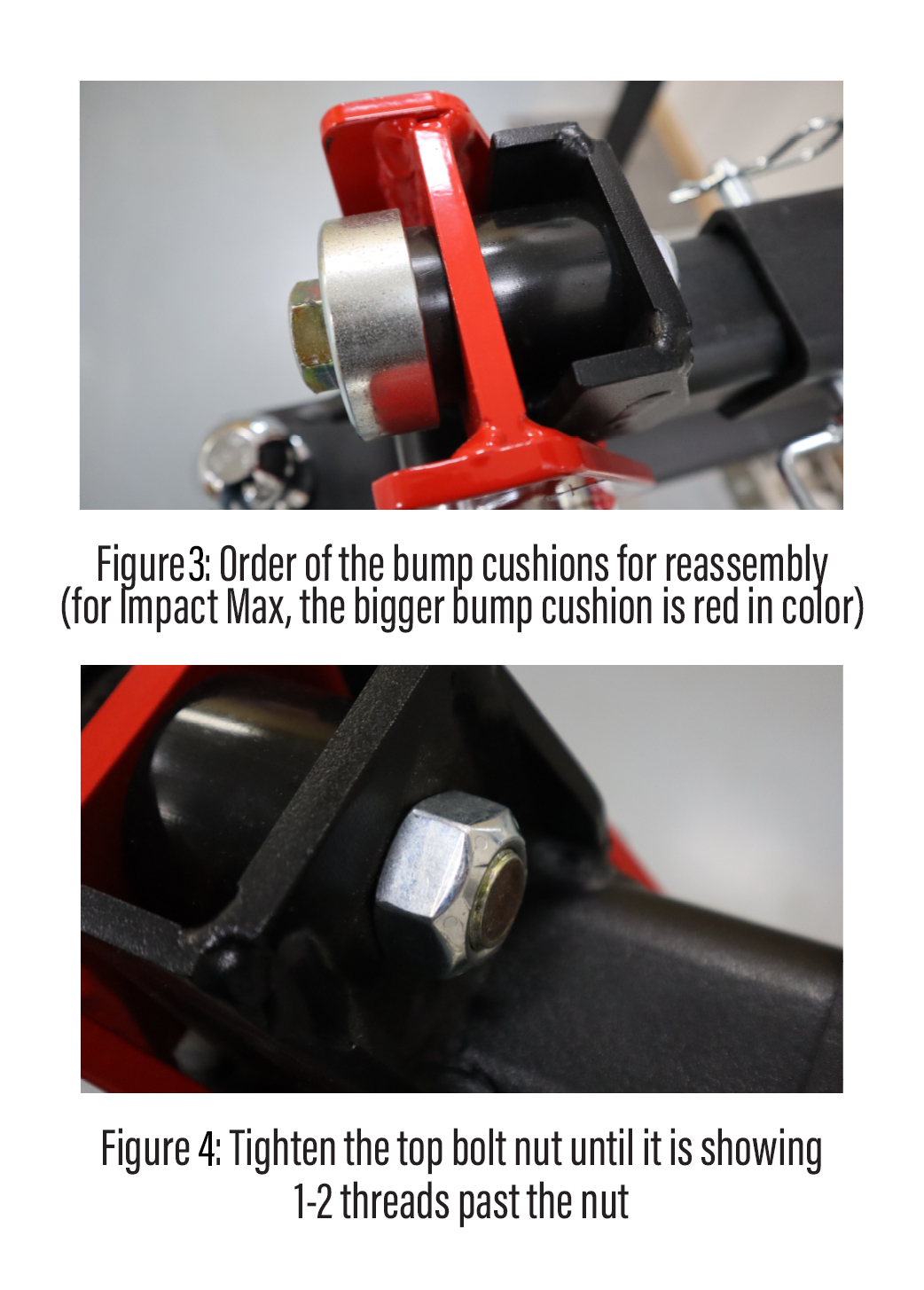
Assemble the bump cushion assembly by inserting the smaller bump cushion into the cap and inserting the top bolt through the smaller bump cushion and cap. Continue by inserting the bigger bump cushion between the receiver shank and main hitch frame, then slide the bolt with the preassembled smaller bump cushion and cap through the front of the hitch frame and bigger bump cushion, add a small amount of thread lock to the rear nut, then finger thread the rear nut onto the bolt (see Figure 3 for reference).
Set the rear nut position
Finish by tightening the jamnut using a 1-1/8” wrench on the bolt head and an impact wrench with a 1-1/8“ (or equivalent) socket and tighten until it is showing 1-2 threads past the nut (see Figure 4). NOTE: The receiver shank frame should be perpendicular with the hitch frame.
Check hitch movement
IMPORTANT: DO NOT overtighten the nut on the bump cushion assembly, this can prevent the hitch from pivoting and prevent it from functioning properly.
After the repair: check your setup
- Reinstall and secure the hitch. Fully insert the receiver shank, align the holes and secure the 5/8-inch hitch pin and cotter clip. Check that the ball-mount pins and clips are seated and locked.
- Lubricate the pivot. Grease the main pivot bolt through its grease fitting. Grease the hitch ball as recommended in the installation guide.
- For air hitches, reset pressure under load. Hook up and load the trailer as you normally would for travel. Add air until the main frame lightly compresses the truck-side bump cushion. Follow the spacer and paddle guidance for your model in the installation guide.
- Never exceed 100 PSI in the air bag. This is the maximum, not a recommended towing pressure. The correct setting depends on the loaded trailer.
- Do not tighten the top jamnut as a routine adjustment. After the replacement assembly is correctly set, extra tightening can restrict the hitch pivot and create a stiff ride.
- Before towing: check the trailer is level, the coupler is secured, and the safety chains and electrical cord are connected. Stay within the lowest-rated component’s capacity.
Need help with your bump cushion assembly?
Have your hitch model and a photo of the assembly ready. Our team can help identify the right replacement parts and instructions.